The WordPress management platform for your own cloud.
Run WordPress on WPShift Cloud with zero setup, or bring your own DigitalOcean, Hetzner, Vultr, Linode, AWS EC2 or Google Cloud. Provisioning, SSL, backups, caching, email and DNS, handled from one dashboard.
No credit card · Cancel anytime · You keep your cloud account
Deploys to
Every WordPress operation, in one place
From provisioning your first server to running fifty sites for clients. The tools you actually use, without the noise of a generic control panel.
Provisioning
From a cloud account to a live WordPress site
One command's worth of work, done for you: hardened server, tuned stack, cache and SSL.
Off-server backups
Daily backups stored off the server. Restore any site in minutes, not support tickets.
Redis + page cache
Object cache wired in and page cache tuned. Fast by default, with no plugins to configure.
SSL on autopilot
Issued, renewed and revoked per domain.
Email + DNS
Mailboxes per domain, DNS from the same screen.
Team workspaces
Role-based access, no shared SSH keys.
Generic server panels stop at the OS. WPShift keeps going.
Ploi and Laravel Forge manage the box. WPShift manages the sites on it: every screen knows about WordPress, so the work happens in the dashboard instead of over SSH.
wp-config editing
Tune memory limits, debug flags and constants from the dashboard. No SSH, no diff hunting.
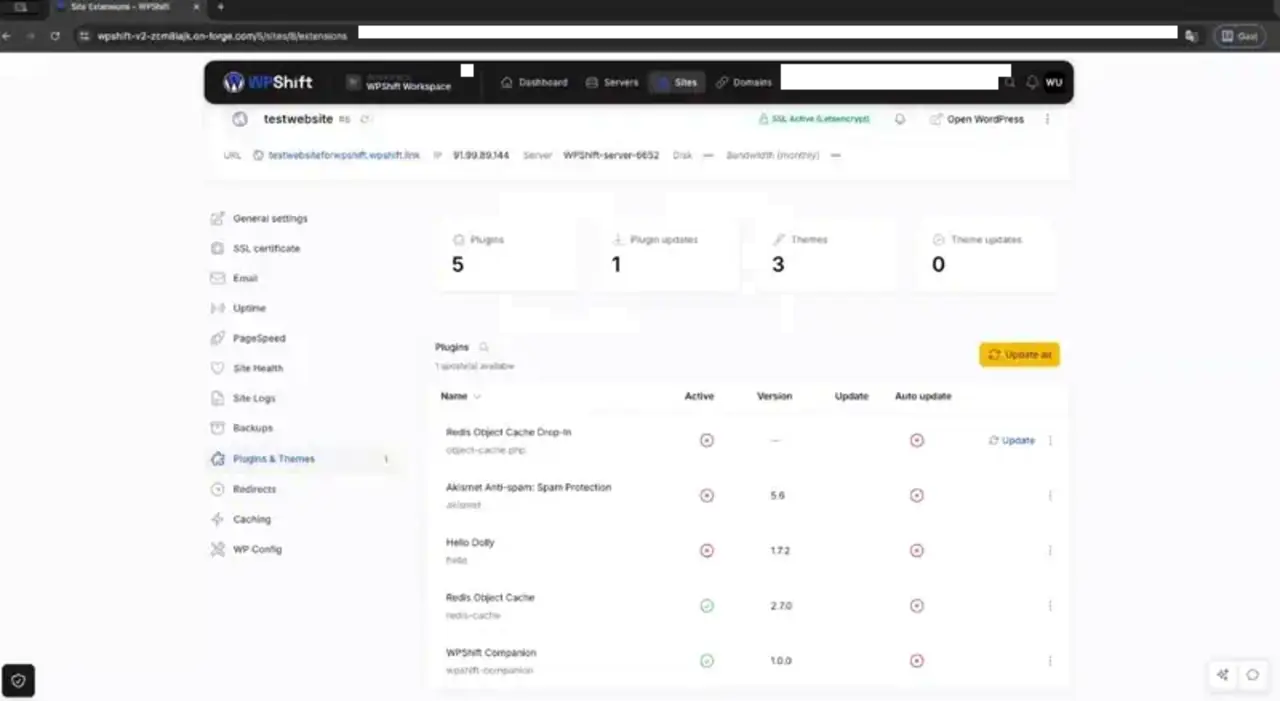
Plugin & theme updates
Roll out WordPress, plugin and theme updates across every site you manage in a single click.
Per-site databases
Every site gets its own database, user and isolated PHP-FPM pool. No noisy neighbours, no cross-talk.
Redis object cache
Installed and wired by default, so your sites stay fast under real load without a plugin to babysit.
Three steps from cloud account to live WordPress
Connect your cloud
Link DigitalOcean, Hetzner, Vultr, Linode, AWS EC2 or Google Cloud with an API token. Or skip it and run on WPShift Cloud with nothing to set up.
Deploy a server
Pick a region and size. WPShift provisions Nginx, PHP-FPM, MySQL and Redis, hardens the firewall, and takes over SSL.
Install a site
Create a WordPress site in one click, or migrate an existing one with the free WPShift Companion plugin.
Your cloud, our software
You pay your cloud provider for the server. WPShift charges only for the management layer, from €5.99 a month.
Personal
For your own sites and side projects.
- 1 server
- 3 sites / domains / inboxes
- 1,000 AI Copilot tokens
Professional
PopularFor freelancers and small studios.
- 5 servers
- 15 sites / domains / inboxes
- 10,000 AI Copilot tokens
Agency
For agencies running client portfolios.
- Unlimited servers
- Unlimited sites / domains
- 30,000 AI Copilot tokens
How easy is it to migrate sites to WPShift?
Install the free WPShift Companion plugin on your existing site and point it at a new server. WPShift copies the files, database and settings, then flips the domain when you are ready.
Is there a free trial?
Yes. Every plan starts with a 7-day free trial and no credit card. During the trial you only pay your own cloud provider for the server itself.
How is WPShift different from Ploi and Laravel Forge?
Those tools manage the server. WPShift is WordPress-aware end to end: wp-config, plugins, themes, per-site databases, object cache and email are all first-class. See the comparison for a side-by-side.
Can I create and manage email addresses for my domain?
Yes. Set up mailboxes per domain with SMTP, and SPF, DKIM and DNS configured for you, all from the same dashboard.
Can I use WPShift for non-WordPress sites?
WPShift is built specifically for WordPress. For non-WordPress apps a generic server panel is a better fit.
What is your cancellation and refund policy?
Cancel anytime from your account. See the refund policy for the details on what is refundable.
Public beta · Try it free
Spin up your first WordPress server in minutes
Connect a cloud account or start on WPShift Cloud. Your first site can be live before your coffee's cold.